Solving Marketing Team's Constant Changes with Cursor Agent + Metabase MCP
Background: The Pain Point of Data Analysts
In many companies, the push notification system workflow is as follows:
- Marketing team decides the logic for push notification lists (e.g., "users who made purchases in the last 30 days")
- Data analysts aggregate these logics into forms through Metabase
- The system sends push notifications based on the Metabase form data
This workflow seems reasonable, but in practice, there's a common problem: Marketing team requirements change frequently.
Today it's "users who made purchases in the last 30 days", tomorrow it changes to "users who made purchases in the last 14 days with amounts over 1000", and the day after it becomes "users who made purchases in the last 7 days but haven't returned items".
Data analysts have to:
- Understand marketing team requirements
- Create or modify queries in Metabase
- Verify if results are correct
- Handle various edge cases
The result: Data analysts are overwhelmed by marketing team's constant changes.
The Dilemma of Traditional Solutions
When data analysts propose "can we build an interface for marketing to adjust themselves?", the technical team faces a classic dilemma:
Solution A: Simple Interface, Limited Functionality
- ✅ Marketing team can learn easily
- ❌ Limited functionality, still need constant changes
- ❌ Cannot handle complex query requirements
Solution B: Highly Flexible Interface
- ✅ Powerful functionality, can handle various requirements
- ❌ High complexity, marketing team cannot learn
- ❌ High development cost, difficult to maintain
This is the classic contradiction between flexibility and usability.
Our Solution: Cursor Agent + Metabase MCP
After consideration, we found a balance: Using Cursor Agent with Metabase MCP Server.
Core Concept
- Natural Language Input: Marketing team describes requirements in natural language
- AI Understanding and Conversion: Cursor Agent understands requirements and converts them to Metabase queries
- Direct Metabase Operation: Create or modify queries directly through Metabase MCP
- Full Permission Control: API KEY managed by technical team, marketing team cannot access directly
Technical Architecture
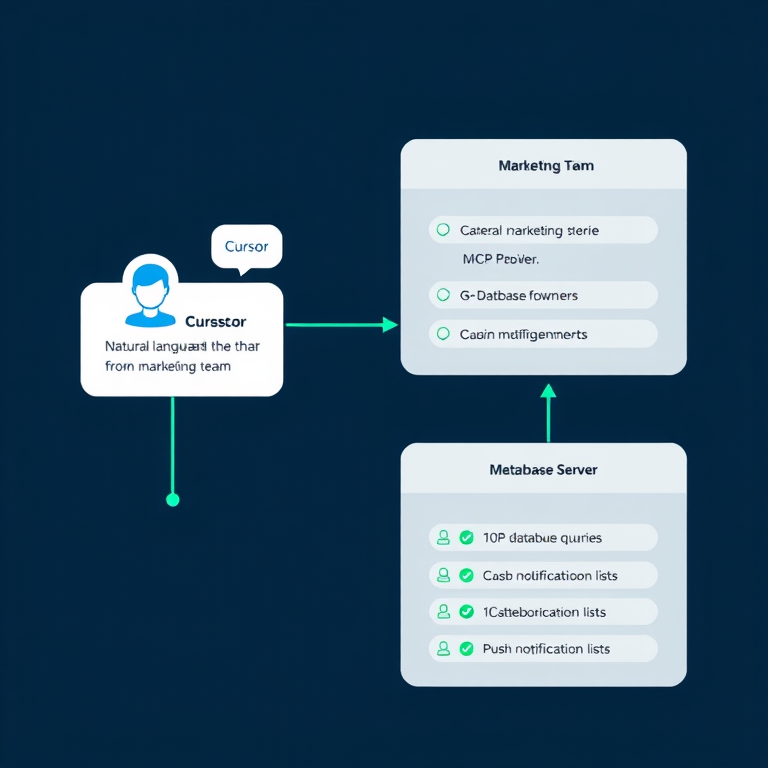
Marketing Team
  ↓ (Natural Language)
Cursor Agent
  ↓ (Understand requirements, generate queries)
Metabase MCP Server
  ↓ (API calls)
Metabase
  ↓ (Execute queries, generate lists)
Push Notification System
Metabase MCP Server Configuration
First, we need to configure Metabase MCP Server in Cursor. This solution uses @easecloudio/mcp-metabase-server, a comprehensive Metabase MCP Server with 70+ tools.
Add the following configuration to mcp.json:
{
  "mcpServers": {
    "metabase-server": {
      "command": "npx",
      "args": ["@easecloudio/mcp-metabase-server"],
      "env": {
        "METABASE_URL": "http://your-metabase-url:3000/",
        "METABASE_API_KEY": "your-api-key-here"
      }
    }
  }
}
Key Points:
METABASE_URL: Your Metabase instance addressMETABASE_API_KEY: API KEY managed by technical team- Marketing team cannot directly see or modify these configurations
Real-World Usage Scenarios
Scenario 1: Creating a New Push List
Marketing Team Input:
"Create a list containing users who made purchases in the last 30 days with purchase amounts over 1000, maximum 5000 users"
Cursor Agent Execution:
- Understand requirements: time range (30 days), conditions (purchase amount > 1000), limit (max 5000 users)
- Query related table structures through Metabase MCP
- Create Metabase query (Card)
- Execute query and generate list
- Save list to specified table in Metabase
Result:
- Marketing team completed complex query creation using natural language
- Data analysts don't need to intervene
- API KEY permissions fully controlled by technical team
Scenario 2: Modifying Existing List
Marketing Team Input:
"Change yesterday's push list to the last 14 days, keep other conditions unchanged"
Cursor Agent Execution:
- Find yesterday's push list (query through Metabase MCP)
- Understand the semantics of "keep other conditions unchanged"
- Modify time range in query
- Update query in Metabase
- Re-execute and generate new list
Scenario 3: Complex Multi-Condition Query
Marketing Team Input:
"I want users who made purchases in the last 7 days, but have no return records, and are not in the blacklist, sorted by purchase amount in descending order, top 3000"
Cursor Agent Execution:
- Parse multiple conditions: time, purchase behavior, return exclusion, blacklist exclusion, sorting, limit
- Query related table relationships through Metabase MCP
- Create complex JOIN query
- Execute and verify results
- Generate and save list
Advantages Analysis
1. Solving the Flexibility vs. Usability Contradiction
- Natural Language: Marketing team doesn't need to learn complex query syntax
- High Flexibility: AI can understand various complex requirement descriptions
- Real-time Feedback: Can immediately see query results and adjust quickly
2. Full Permission Control
- API KEY Management: Unified management by technical team, marketing team cannot access directly
- Operation Logging: All operations go through Cursor Agent, can be logged and audited
- Secure and Controllable: Technical team can adjust permission scope at any time
3. Reducing Communication Costs
- Reduce Back-and-Forth Confirmation: Marketing team can directly describe requirements without repeated communication
- Real-time Adjustment: Can modify immediately if problems are found, no need to wait for data analysts
- Low Learning Cost: Marketing team only needs to know how to describe requirements in natural language
4. Freeing Up Data Analyst Time
- Focus on High-Value Work: Data analysts can focus on data analysis, modeling, and other high-value work
- Reduce Repetitive Labor: No need to repeatedly create and modify simple queries
- Improve Overall Efficiency: The entire team's efficiency is improved
Technical Implementation Details
Main Features of Metabase MCP Server
Metabase MCP Server (GitHub Repository) provides rich features, including:
- Query Execution: Execute SQL queries or MBQL queries
- Card Management: Create, update, delete query cards
- Dashboard Management: Manage dashboards
- Database Structure Query: Query table structures, field information, etc.
- Result Export: Export query results in various formats
Cursor Agent Workflow
- Requirement Understanding: Use LLM to understand marketing team's natural language requirements
- Query Generation: Generate Metabase queries based on requirements
- Structure Query: First query related table structures to ensure query correctness
- Execution Verification: Execute query and verify results
- Result Saving: Save results to specified table or Card
Error Handling
- Semantic Understanding Errors: If AI misunderstands, marketing team can re-describe
- Query Errors: If query has problems, AI will adjust based on error messages
- Permission Errors: If permissions are insufficient, will clearly prompt that technical team assistance is needed
Actual Results
Before Implementation
- Marketing team proposes requirement → Data analyst understands (may misunderstand) → Create query → Marketing team verifies → Finds problems → Modify again → ...
- Average 2-3 rounds per requirement
- Data analysts handle 10+ similar requirements daily
After Implementation
- Marketing team directly describes requirement → Cursor Agent executes → Immediately see results → Adjust directly if problems found
- Most requirements completed in one go
- Data analysts can focus on more complex analysis work
Considerations
1. API KEY Security
- Do not write API KEY in articles or public places
- Use environment variables or secure configuration management systems
- Regularly rotate API KEYs
2. Permission Scope Control
- Recommend creating dedicated Metabase users with only necessary permissions
- Limit accessible databases and tables
- Avoid granting permissions to delete or modify core data
3. Query Verification
- For important push lists, recommend adding manual review process
- Can set reasonableness checks for query results (e.g., number of users cannot exceed a certain limit)
- Log all operations for traceability and auditing
4. Training and Documentation
- Although using natural language, marketing team still needs training on how to better describe requirements
- Provide examples of common requirements
- Establish problem feedback mechanism
Future Extensions
This solution has many directions for extension:
- Templating: Template common requirements to further simplify operations
- Preview Function: Preview query results before execution to avoid errors
- Version Control: Record historical versions of queries for easy rollback
- Automated Scheduling: Regularly automatically execute certain queries and update lists
- Result Analysis: Automatically analyze query results and provide insights
Conclusion
Using Cursor Agent + Metabase MCP successfully solves the problem of marketing team's constant changes:
- ✅ Flexibility and Usability Coexist: Natural language input with highly flexible query capabilities
- ✅ Full Permission Control: API KEY managed by technical team, secure and controllable
- ✅ Reduce Communication Costs: Reduce back-and-forth confirmation, improve efficiency
- ✅ Free Up Data Analyst Time: Focus on high-value work
This solution not only solves current pain points but more importantly demonstrates the application value of AI Agent in real business scenarios. Through reasonable architectural design, we can significantly improve business efficiency while maintaining security.
This article documents the experience of using Cursor Agent with Metabase MCP to solve real business problems, hoping to help teams facing similar challenges.