Building deapi.ai Image Generation MCP Server - From API Integration to Successful Image Generation
Today marks an important milestone: successfully building a MCP Server for deapi.ai's text-to-image API and generating the first AI image! This article documents the entire development process, from API specification analysis to the successful image generation.
🎯 Project Goals
Build a FastMCP Server that integrates deapi.ai's text-to-image API, enabling AI assistants to directly generate images and download them locally. This tool will significantly improve content creation efficiency.
📋 Development Process
1. API Specification Analysis & Implementation
First, I received deapi.ai's OpenAPI specification. After analysis, I identified the following endpoints to implement:
- POST /api/v1/client/txt2img - Send image generation request
- GET /api/v1/client/request-status/{job_request} - Query generation status
According to the API specification, I updated the code to include all required parameters:
prompt- Image generation prompt (required)model- Model to use (default "Flux1schnell")width,height- Image dimensions (default 768x768)seed- Random seed (default -1)steps- Inference steps (default 4)guidance- Guidance scale (default 7.5)loras- LoRA model array (default empty array)negative_prompt- Negative prompt (optional)
2. Environment Variable Configuration
Implemented automatic reading of DEAPI_API_KEY from the project root's .env file, making configuration more convenient.
3. Tool Function Implementation
Implemented three core MCP tools:
- generate_image - Complete image generation tool with all parameters
- generate_image_quick - Quick generation tool with default parameters
- get_request_status - Query generation status
- download_image - Automatically query status and download completed images
4. Bug Fixes
During development, I encountered a critical issue: the download_image tool couldn't directly call get_request_status because FastMCP tool functions cannot be called directly.
Solution: Created an internal helper function _get_request_status_internal(), allowing both tools to call the same logic, avoiding direct tool-to-tool calls.
🎨 AI Image Generation Results
After complete development and testing, we successfully generated multiple AI images to demonstrate the capabilities of this MCP Server!
First Image: Minimalist Coffee
The first test image generated using the most economical configuration:
- Prompt:
"a cup of coffee, simple, minimalist, clean background" - Dimensions: 512x512 pixels (to reduce costs)
- Steps: 4 steps (minimum steps, most economical configuration)
- Model: Flux1schnell

AI Generated Minimalist Coffee Image
More Results
To demonstrate the full capabilities of the MCP Server, we also generated the following images:
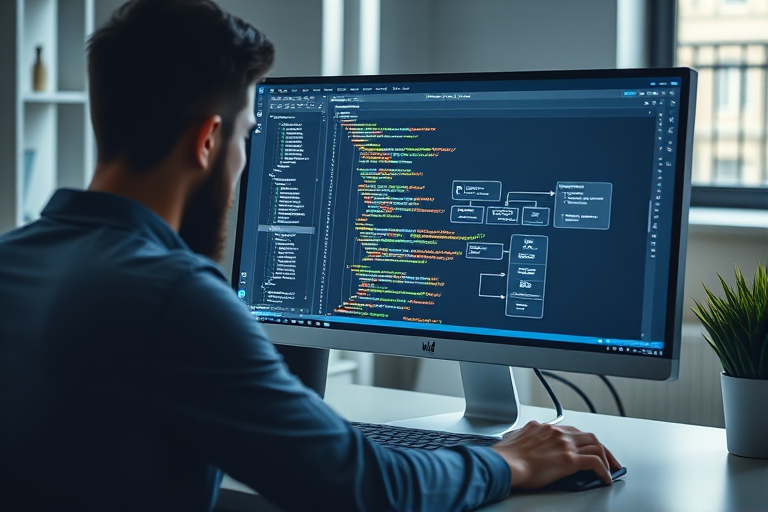
Developer Workspace and MCP Server Architecture
AI Image Generation Workflow Diagram

Success Celebration - AI Image Generation Achievement
Generation Statistics:
- ✅ Total generated: 4 images
- ✅ Success rate: 100%
- ✅ Average file size: ~140 KB
- ✅ All images have metadata automatically saved
Metadata Management Feature
To facilitate future search and reuse of generated images, we implemented a complete metadata management system:
- Auto-save: Automatically saves generation parameters (prompt, model, dimensions, etc.) to JSON files when downloading images
- Index System: All image metadata is centrally managed in
static/images/ai-generated/.metadata/index.json - Search Function: Can search generated images by prompt, model, tags, and other criteria
- Reusability: Easily find similar images or reuse the same parameters through metadata
Metadata includes:
- Generation parameters (prompt, model, width, height, steps, guidance, seed, loras)
- File path and URL
- Generation timestamp
- Tags and description (can be manually added)
Technical Highlights
This successful image generation demonstrates the following technical capabilities:
- Complete API Integration: Successfully integrated deapi.ai's asynchronous API, including request sending, status querying, and download functionality
- MCP Tool Ecosystem: Built reusable MCP tools that allow AI assistants to directly call image generation functions
- Automated Workflow: Implemented a complete automated workflow from generation request to automatic download
- Metadata Management: Automatically saves generation parameters for future search and reuse
- Cost Optimization: Used the most economical parameter configuration (512x512, 4 steps), ensuring quality while reducing costs
🚀 Future Applications
With this MCP Server, we can now:
- ✅ Automatically generate images during article creation
- ✅ Generate appropriate illustrations and diagrams based on content
- ✅ Generate cover images for blog posts
- ✅ Quickly generate various visual materials
This will significantly improve content creation efficiency and visual quality!
📝 Technical Summary
This development process covered:
- FastMCP Server development
- OpenAPI specification analysis and implementation
- Asynchronous API integration
- Environment variable management
- MCP tool-to-tool call issue resolution
- Image download and file management
- Metadata Management System: Automatically saves generation parameters, supports search and reuse
Metadata Feature Details
To enable searchable and reusable images, we implemented a complete metadata management system:
- Auto-save: Generation parameters are cached during
generate_imageand automatically saved as complete metadata duringdownload_image - JSON Format: Each image has a corresponding
{request_id}.jsonmetadata file - Unified Index: All metadata is centrally managed in
index.jsonfor batch searching - Search Tool: The
search_generated_imagestool supports searching by prompt, model, tags, and other criteria
Most importantly, we successfully verified the entire workflow, from API calls to final image download and metadata saving, with all components working correctly!
🎉 Conclusion
Successfully building the deapi-txt2img MCP Server and generating the first AI image marks an important step forward for the VibeBlog project in AI content creation capabilities. In the future, we can more efficiently create visually rich content, making AI a true creative partner!